Student records
Admissions, profiles, classes and subject enrolment in one searchable record that never gets lost.
 ObadX
More languages will be added soon.
Students, attendance, report cards, fees and timetables, built for African schools and working even when the internet is not.
ObadX is made forteachersparentsprincipalsstudentsbursars
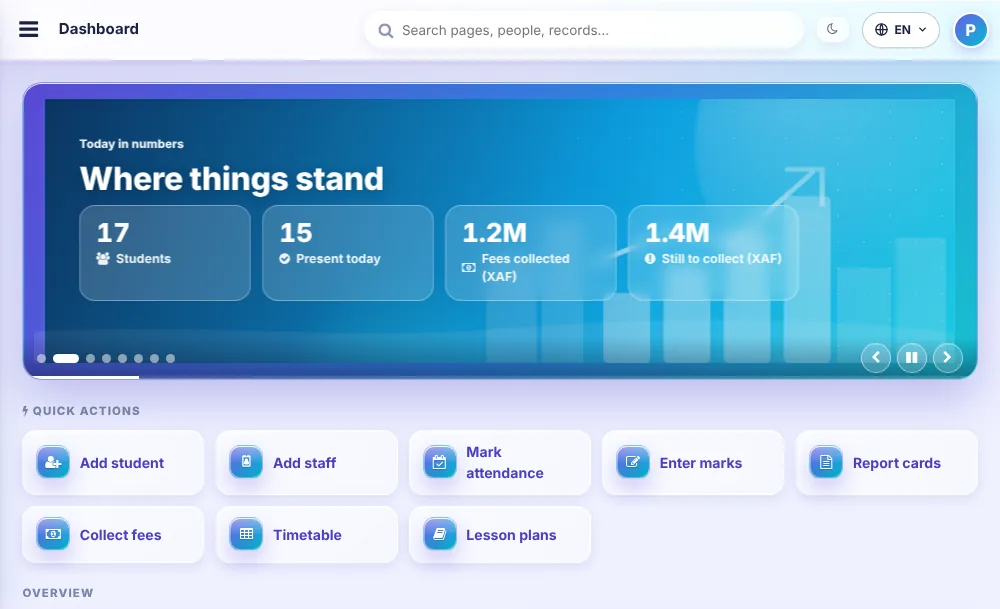
Each part works alone and works better together, so a mark entered once shows up on the report card, the parent's phone and the principal's summary.
Admissions, profiles, classes and subject enrolment in one searchable record that never gets lost.
Mark attendance per day or per period from a phone, and give parents numbers they can trust.
Cambridge and national (MINESEC) grading with report cards that print right the first time.
Invoices, mobile-money friendly payments and a clear balance for every student.
Drag and drop the week together. Clashes between teachers, rooms and classes are caught for you.
Announcements and messages that reach parents on any phone, approved before they go out.
Pick who you are to see what ObadX does for you. The screens are from a sample school.
Students, attendance, fees and results on one live dashboard, so you stop chasing paper reports.

Every student in one searchable record, with import from a spreadsheet, export and printable ID cards.
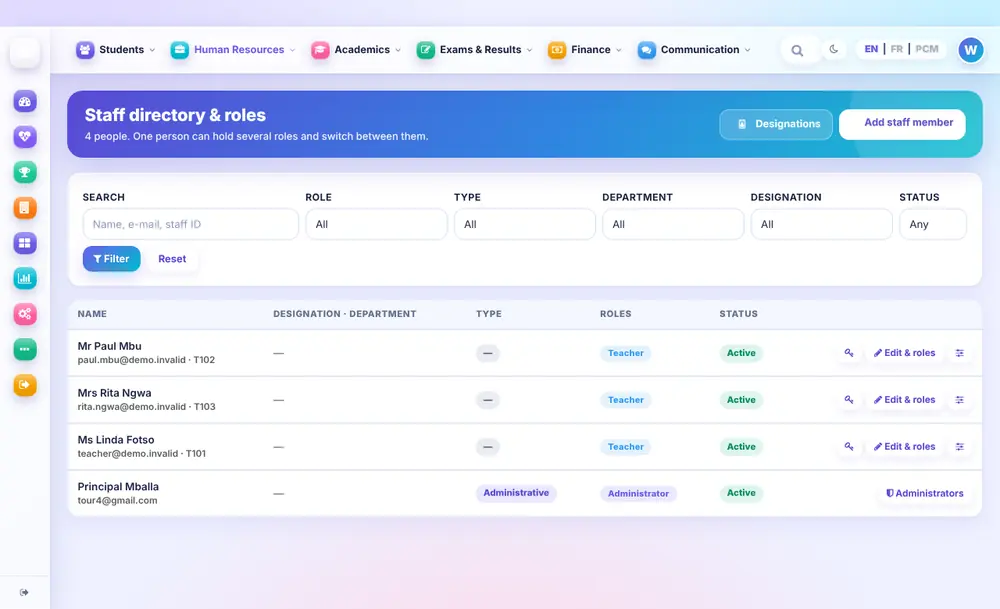
One directory for teachers and office staff. A person can hold several roles and switch between them.

Leave requests, payslips, contracts and vacancies handled in one place instead of several notebooks.
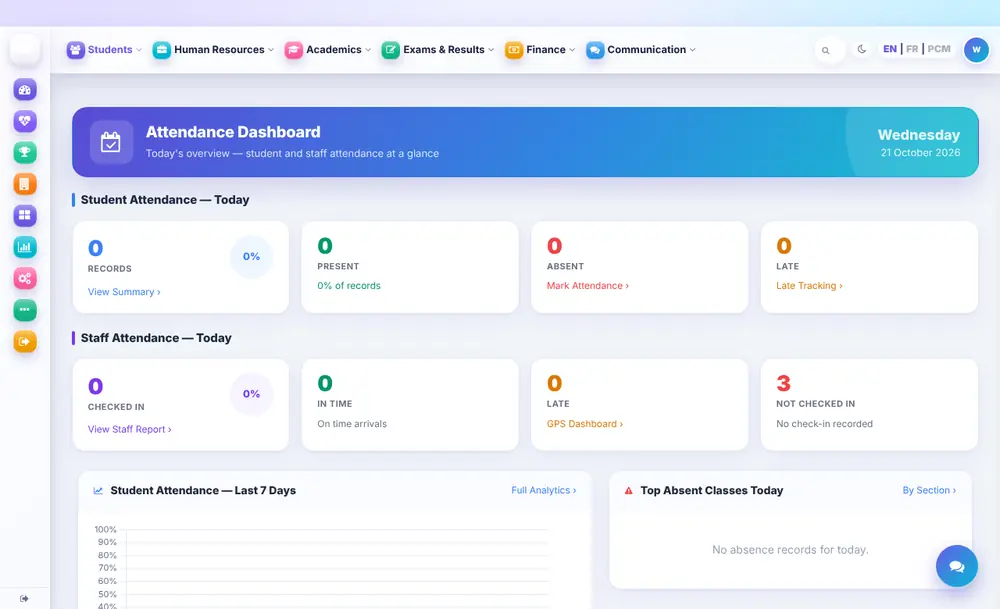
Daily student and staff attendance with live summaries, so absences are noticed the same day.
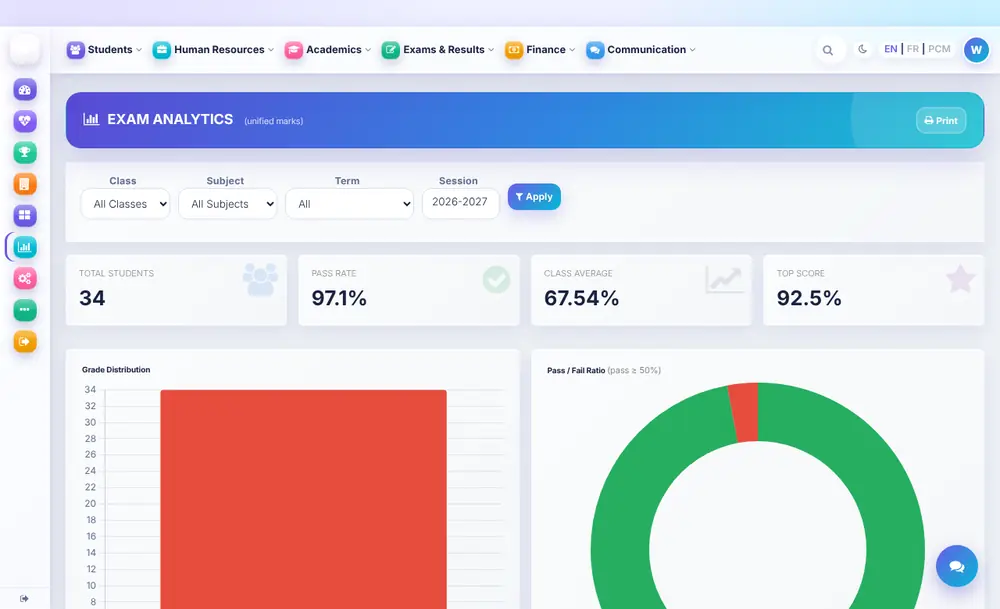
Pass rates, class averages and grade spreads by class and subject, straight from the marks teachers enter.

Messages to parents pass through an approval pipeline before they are sent, so nothing leaves the school unreviewed.
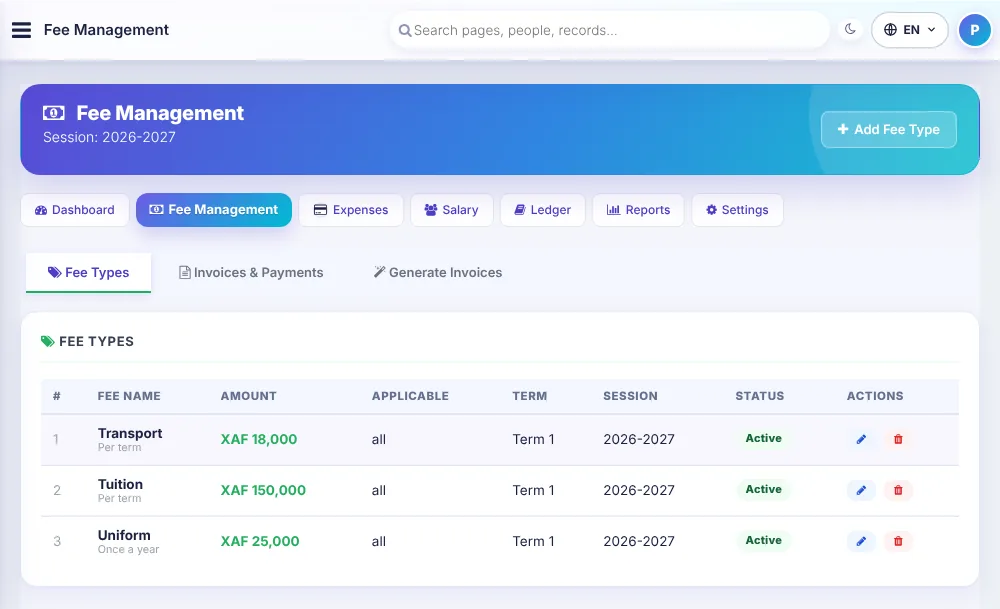
Set tuition, transport and uniform fees per term, then follow what is paid and what is still owed.
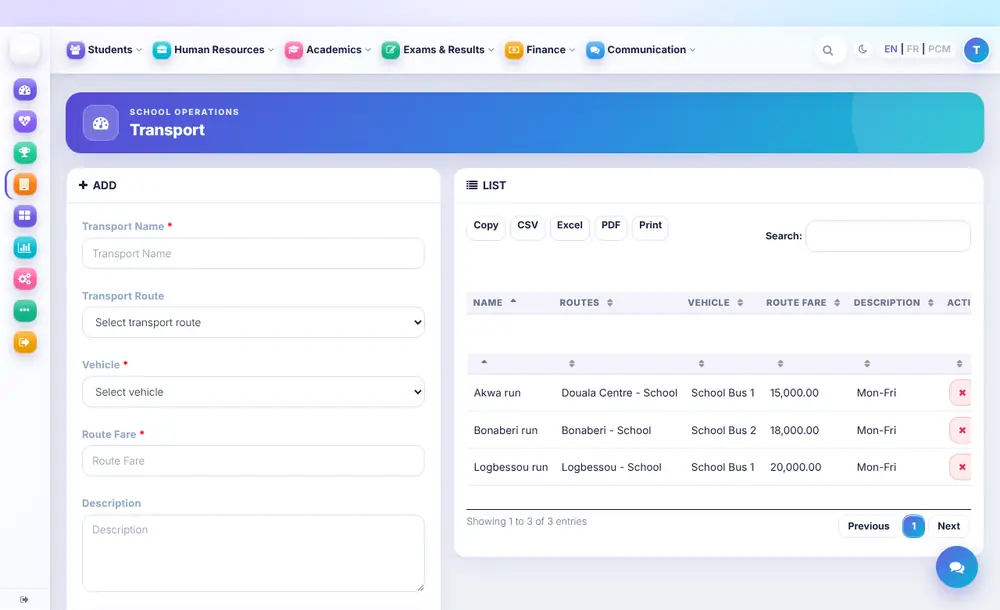
Routes, buses and drivers with each run and its fare in one list.

Hostel blocks, rooms, beds and the cost per bed, ready for boarders.
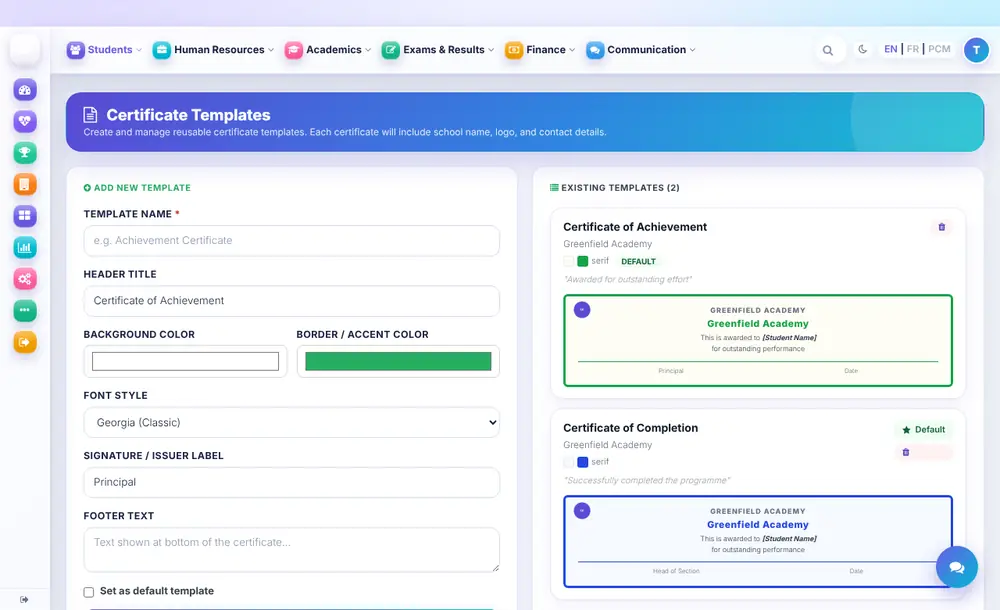
Design a certificate once with your school name and colours, then print it for any student.
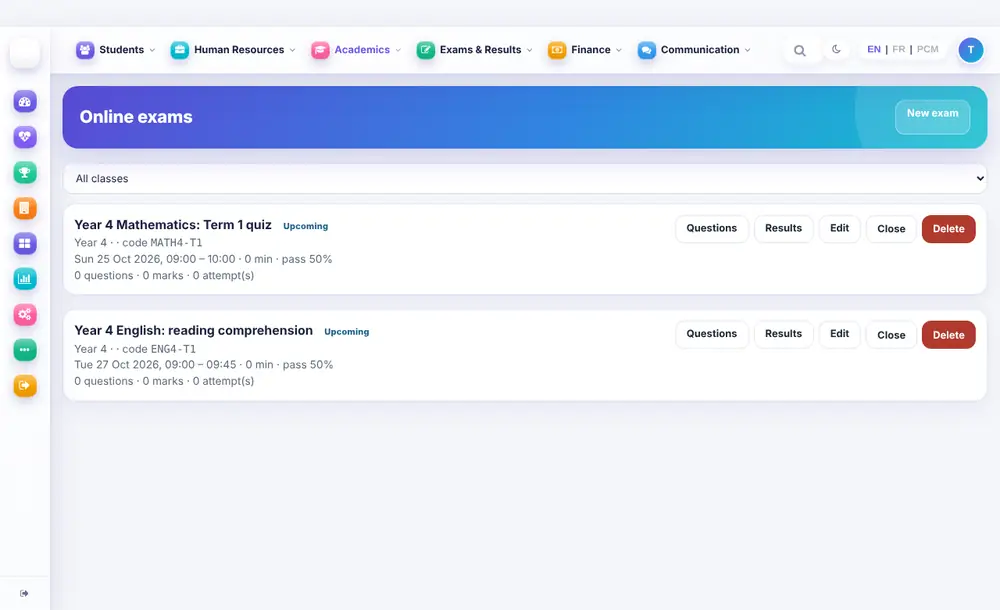
Timed multiple-choice exams by class and subject, with results and pass marks tracked for you.
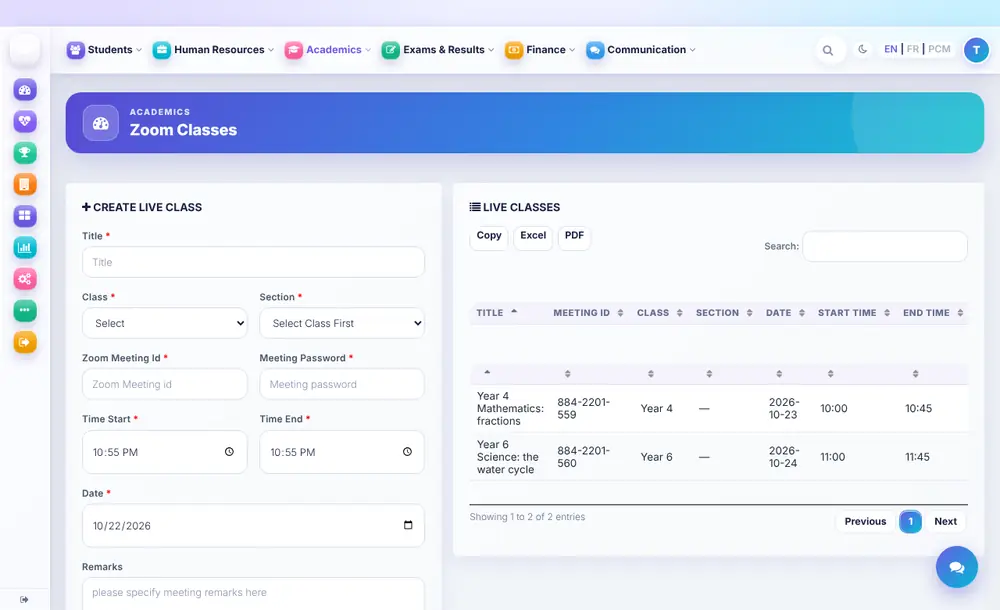
Schedule online lessons with the meeting link and password in one place for students and parents.
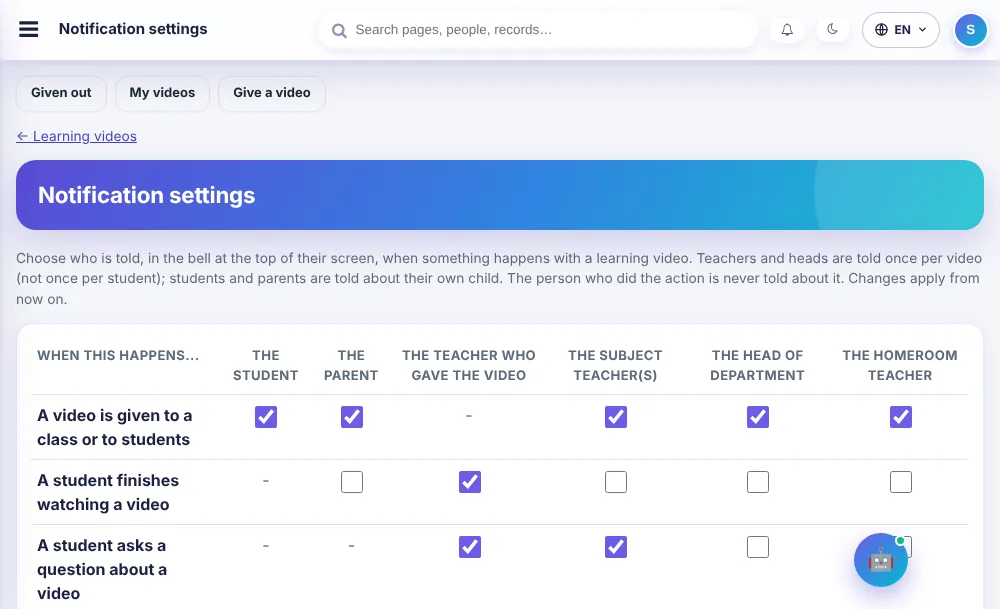
Choose who is notified when a video is given, finished, questioned or quizzed: students, parents, subject teachers, heads of department and homeroom teachers.
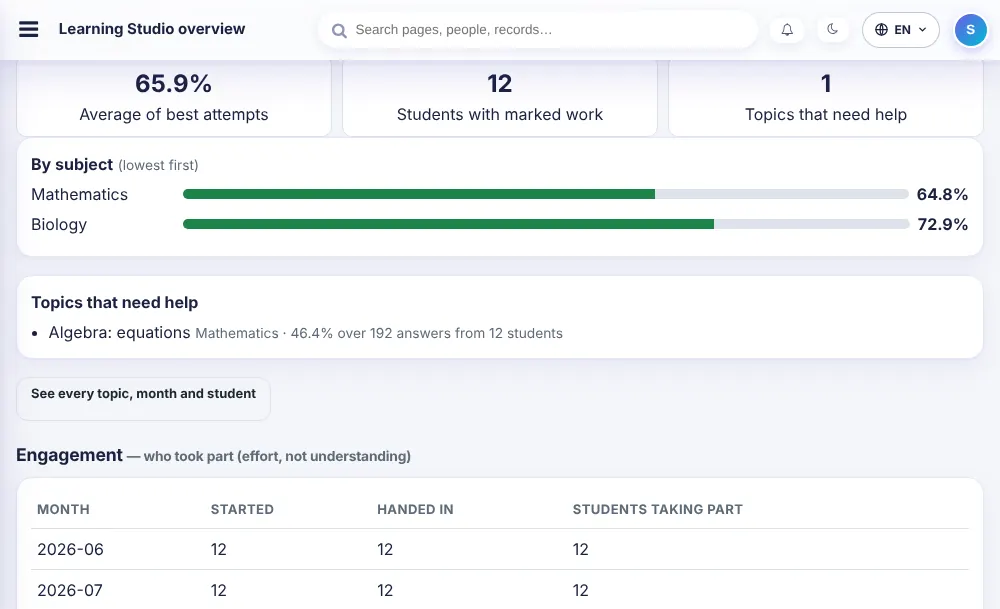
Average results by subject, the curriculum topics that need help, and who took part each month, from the marks students earn on interactive activities.
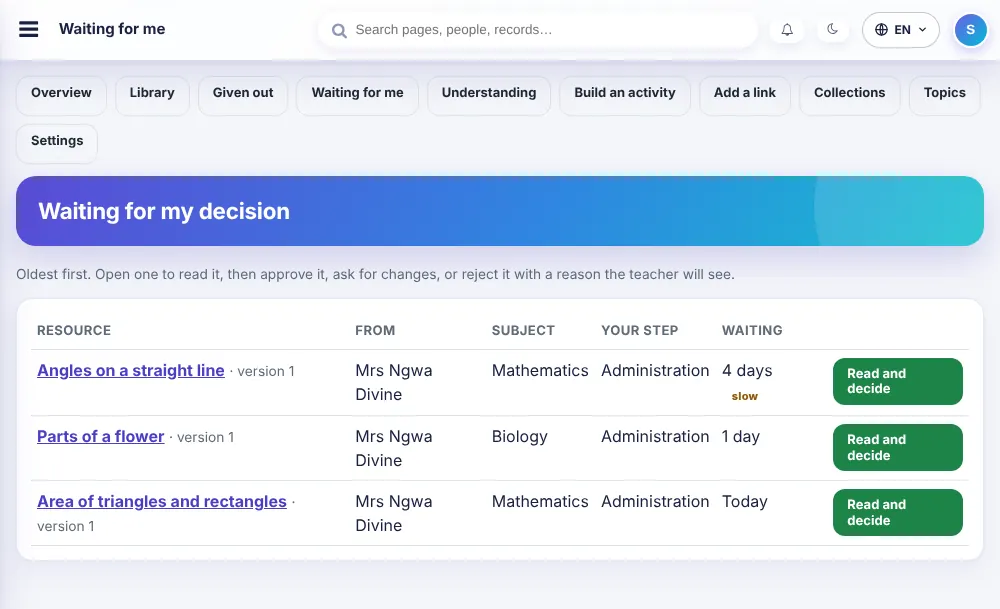
A head of department or an administrator approves new resources from one queue, oldest first. You choose the rule for the school, a subject or a kind of content.

Keep supplier details and what each one provides, so reordering is one call.
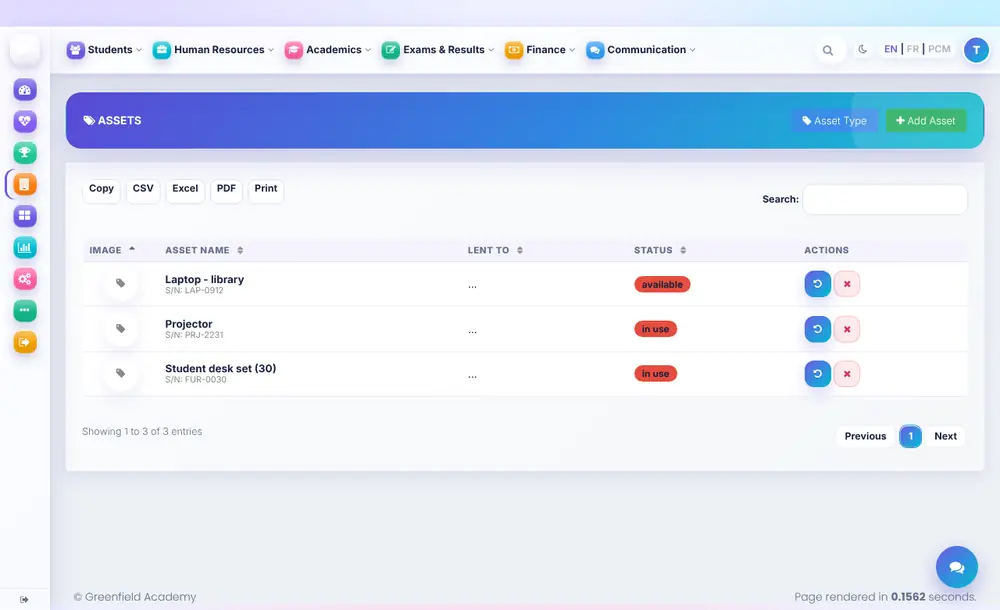
Furniture and equipment with serial numbers, status and who holds what.
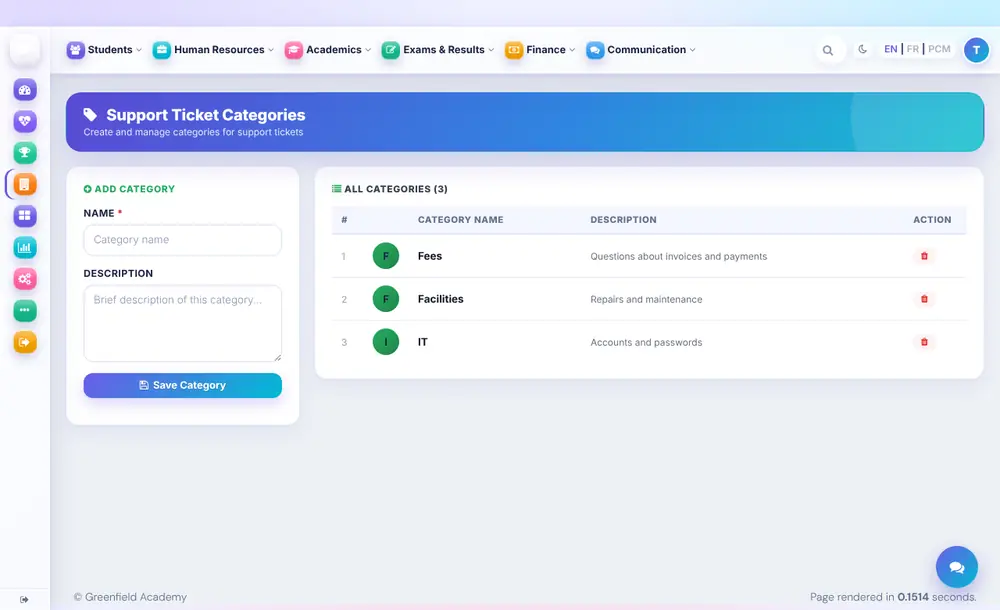
Parents and staff raise a request under a category and follow it until it is resolved.
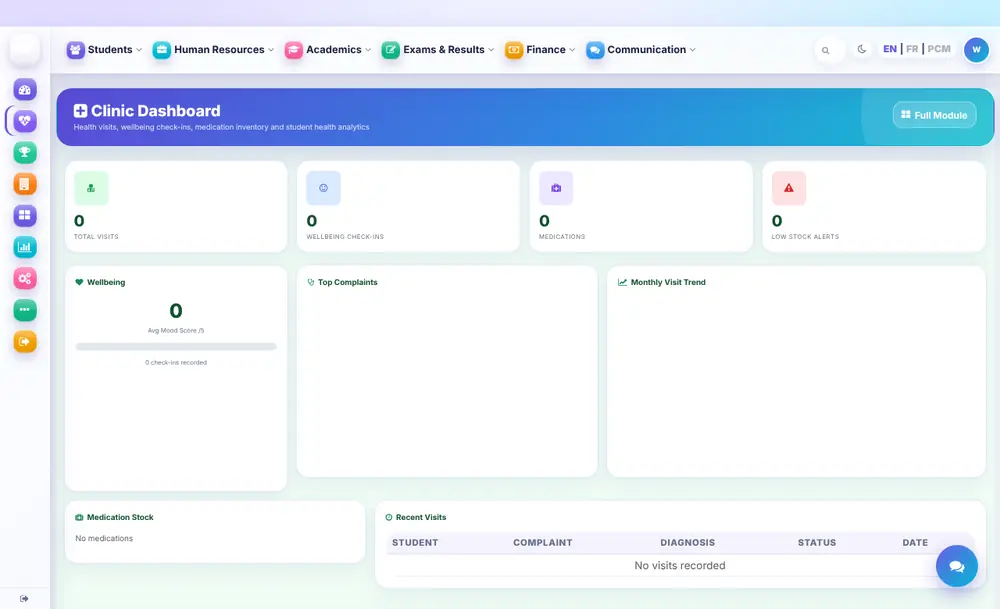
Health profiles, visits and medication kept together and confidential.
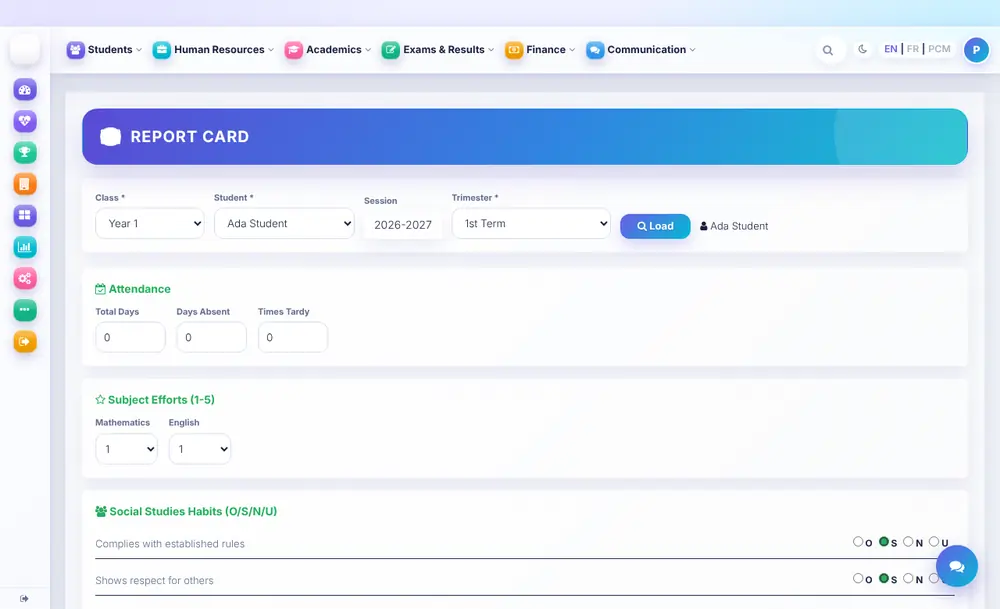
Fill in attendance, effort marks and conduct for each student on one page, ready for the report card.
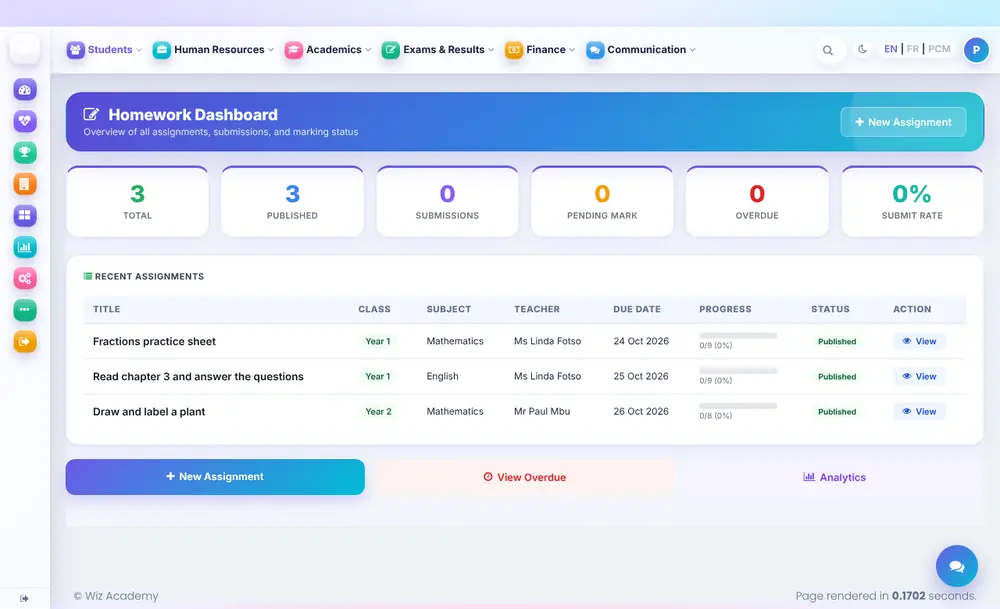
Set homework by class and subject, then follow submissions, overdue work and the submit rate on one dashboard.
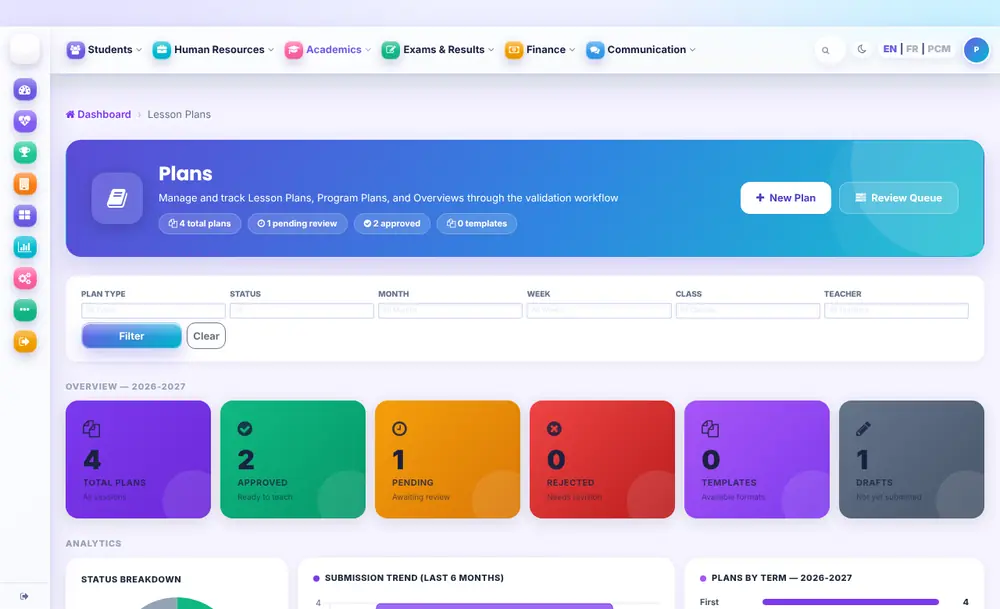
Teachers submit lesson plans that move through review to approval, with a clear status for every plan.
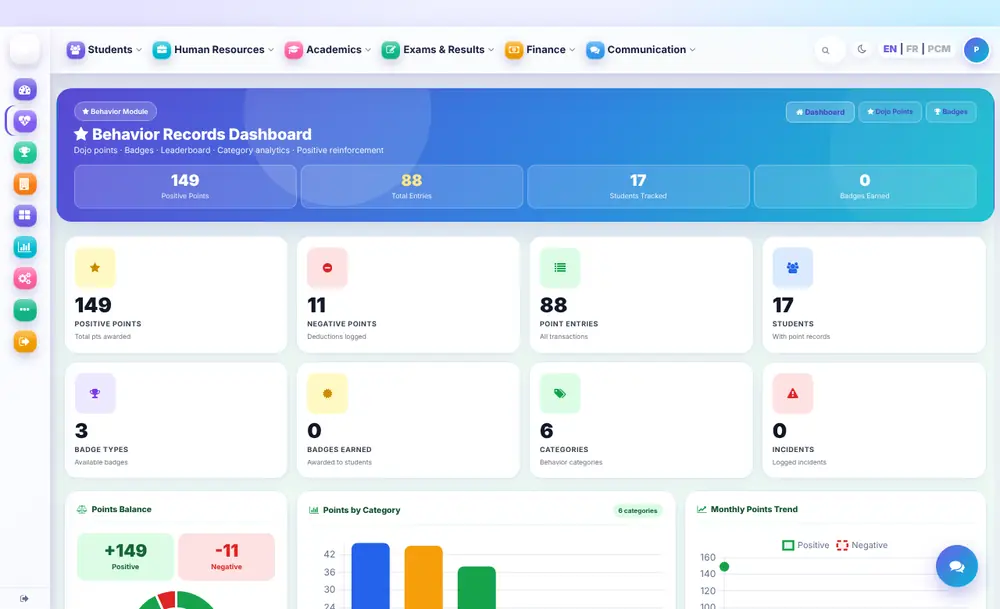
Reward good behaviour with points and badges, log incidents and see trends across the school.
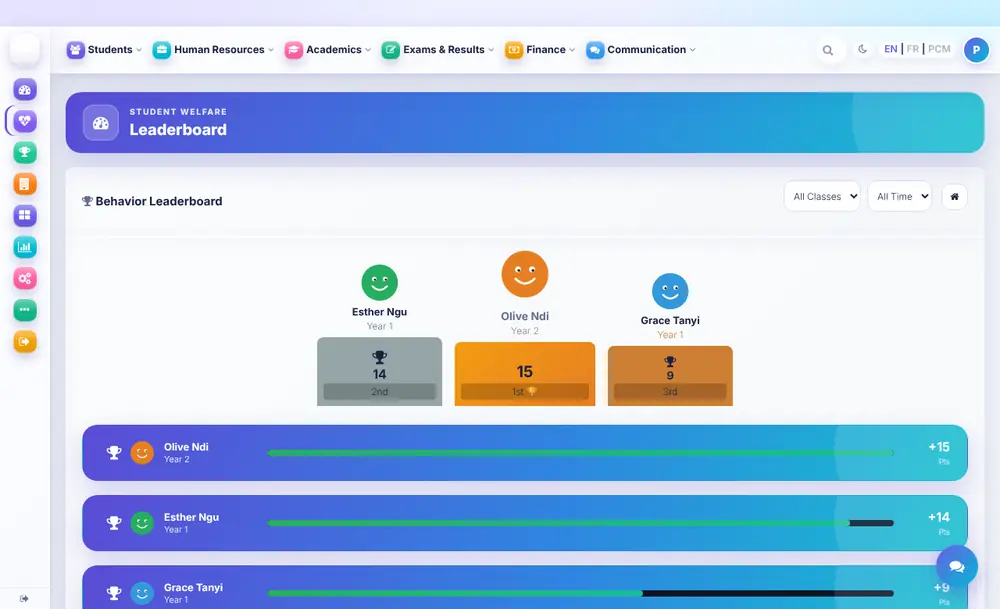
A friendly leaderboard by class that keeps students motivated.

A catalogue of books, videos and websites with reading levels, shared by link so nothing heavy is stored on the school's system.
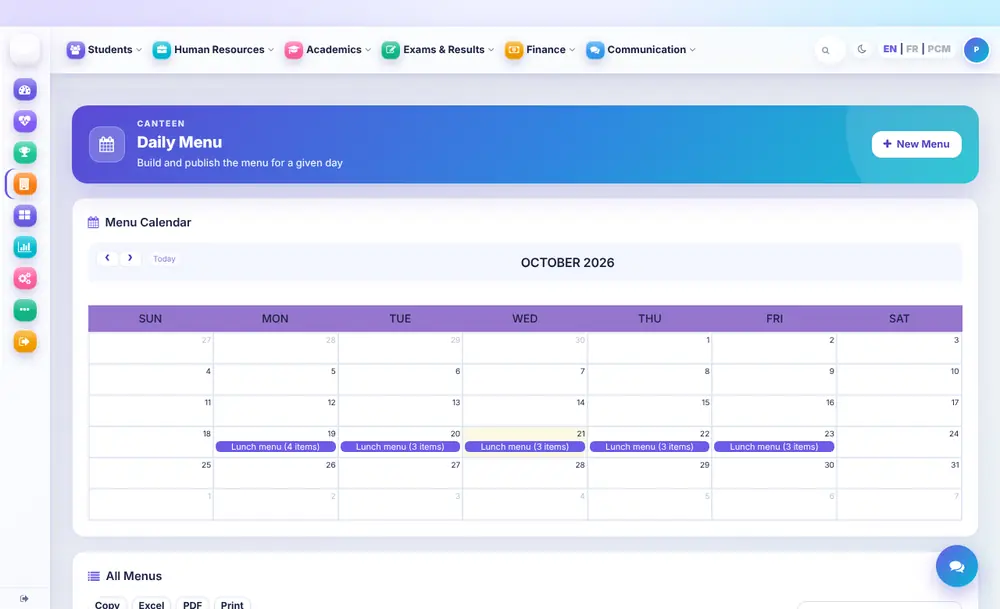
Publish the daily canteen menu on a calendar and manage items, prices and stock.

Build and publish the weekly timetable with periods, rooms and teachers, and catch clashes before the term starts.
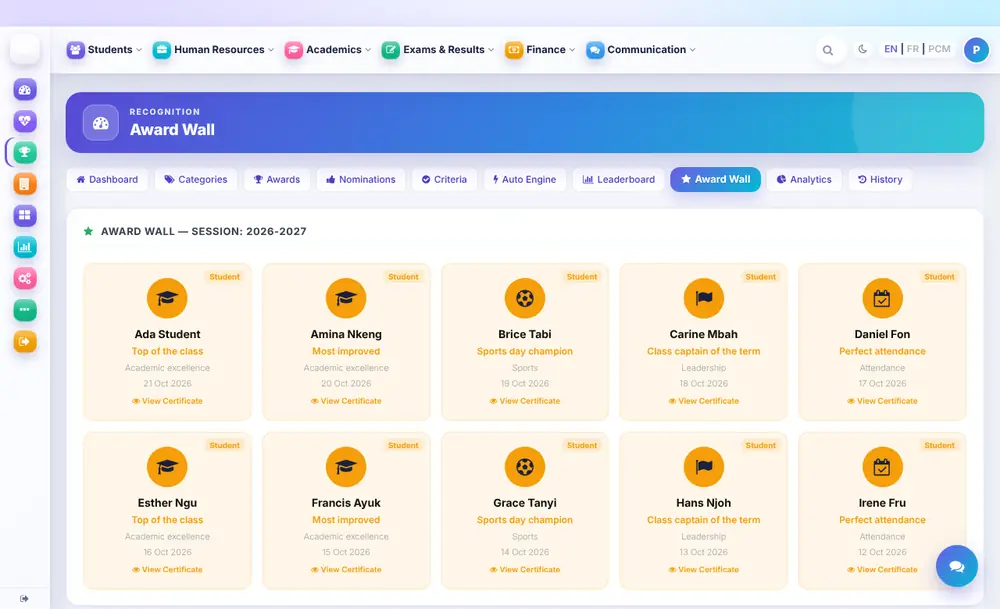
Recognise achievement with award categories, an award wall and a certificate for every recipient.
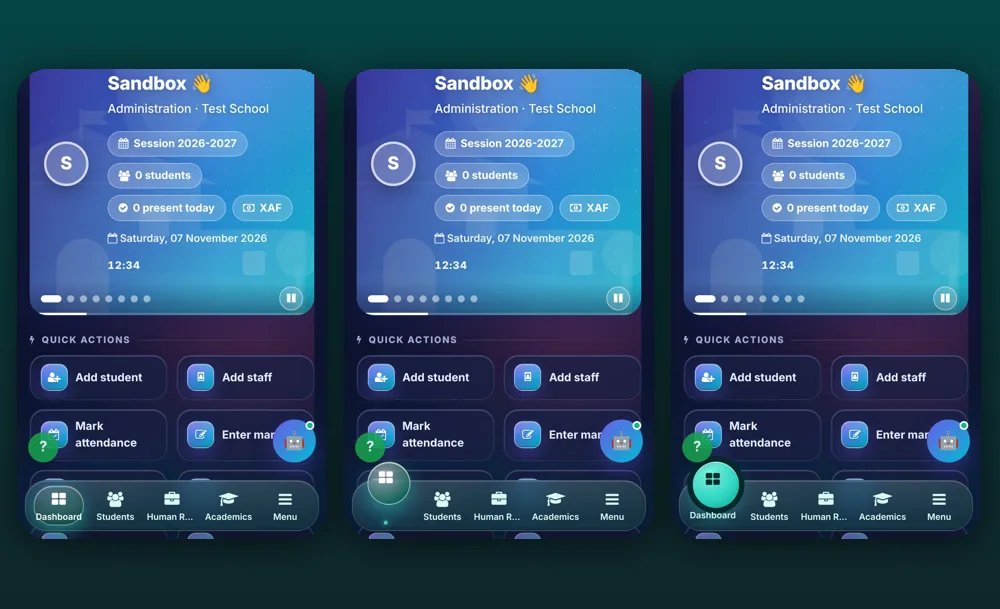
Choose a liquid-glass look for the side menu, top bar and phone bottom bar, and pick the pages that sit in the bottom bar. The classic look stays the default.
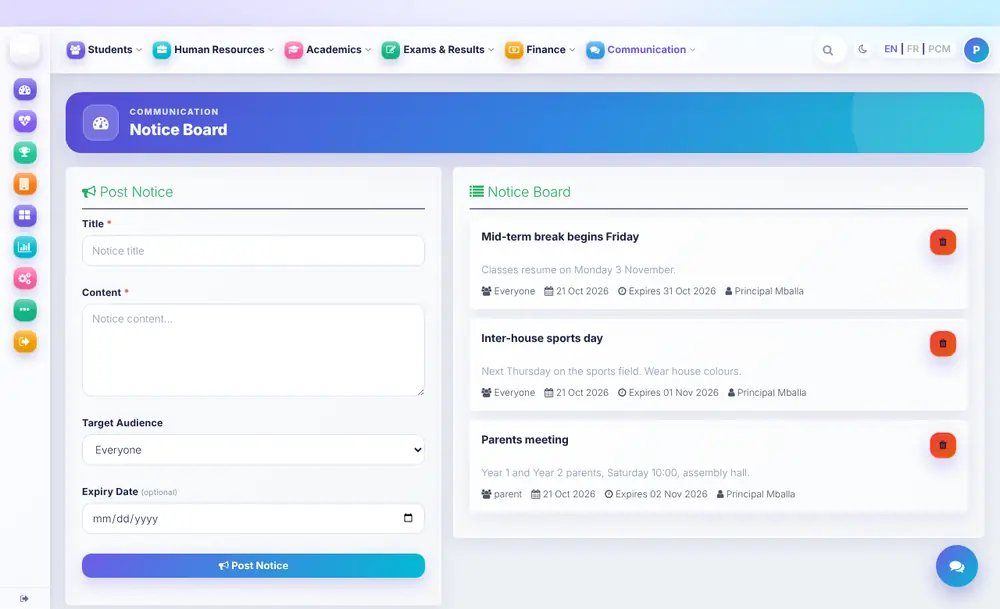
Post a notice for everyone or only for parents, with an expiry date so old news disappears by itself.
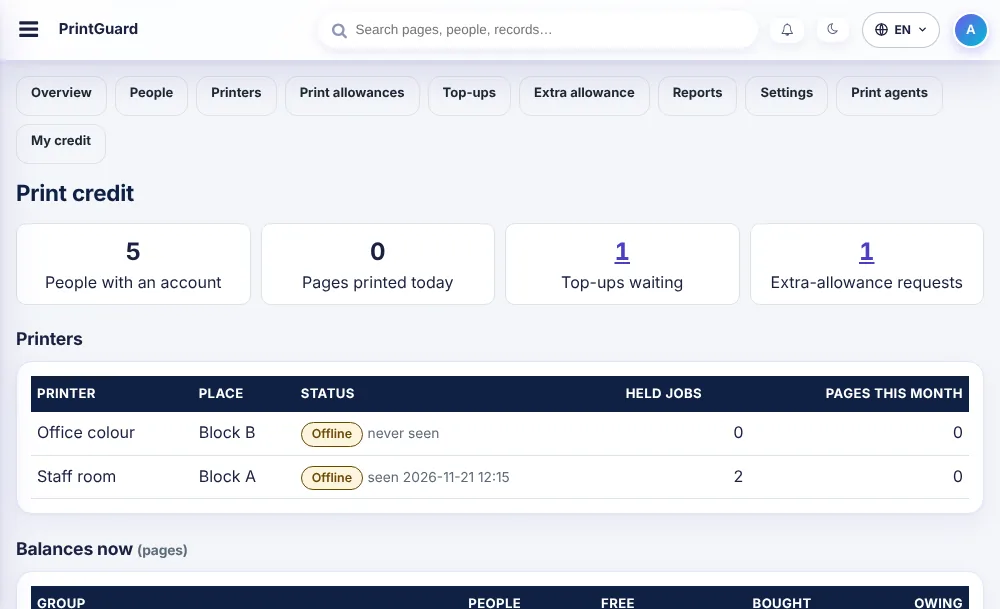
Give everyone a free monthly print allowance, let them buy extra, and see who printed what and what it cost. Documents wait until the person signs in at any school printer, so nothing is printed and forgotten.

Your classes, students, subjects and today's attendance on one page, with shortcuts to what you do most.
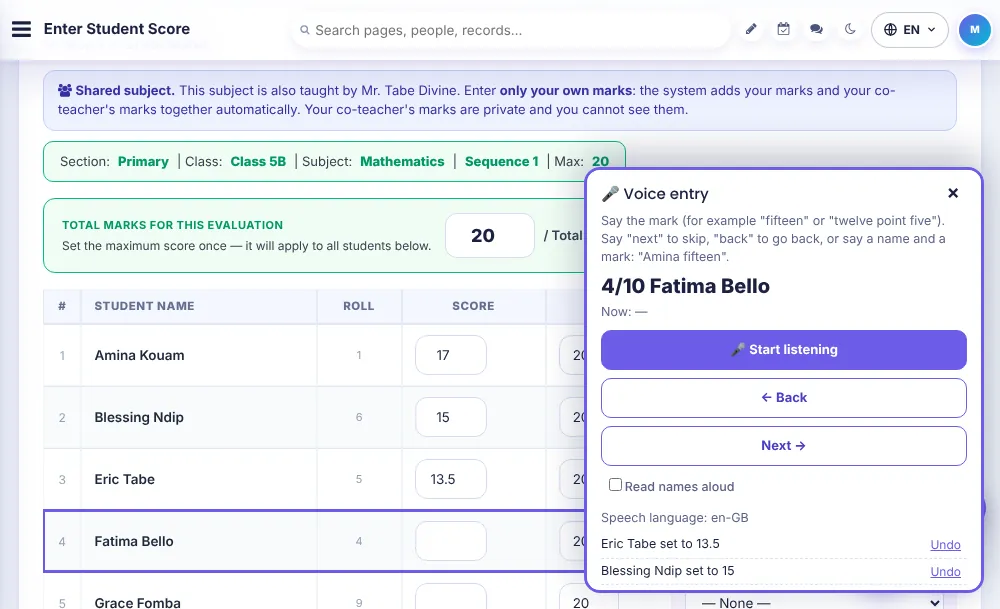
Enter marks step by step for your class, subject and evaluation, typed or spoken. The page shows when it is ready for a weak connection.
Tap the microphone and call out each mark or attendance status. It understands English, French and Pidgin, picks the fastest method for your device by itself, never keeps your voice (it stays on the device, or is deleted the moment it is turned into text), and you check everything before saving.
Photograph or upload a handwritten or printed list of marks or attendance, one page or many. The system reads the names and values, matches the names to your class, and shows them for you to correct before it fills the sheet. Pictures are deleted right after reading.

When a subject has a co-teacher, each teacher enters marks on their own and the system adds them together. Each teacher's marks stay private, except to the head of department and the homeroom teacher.
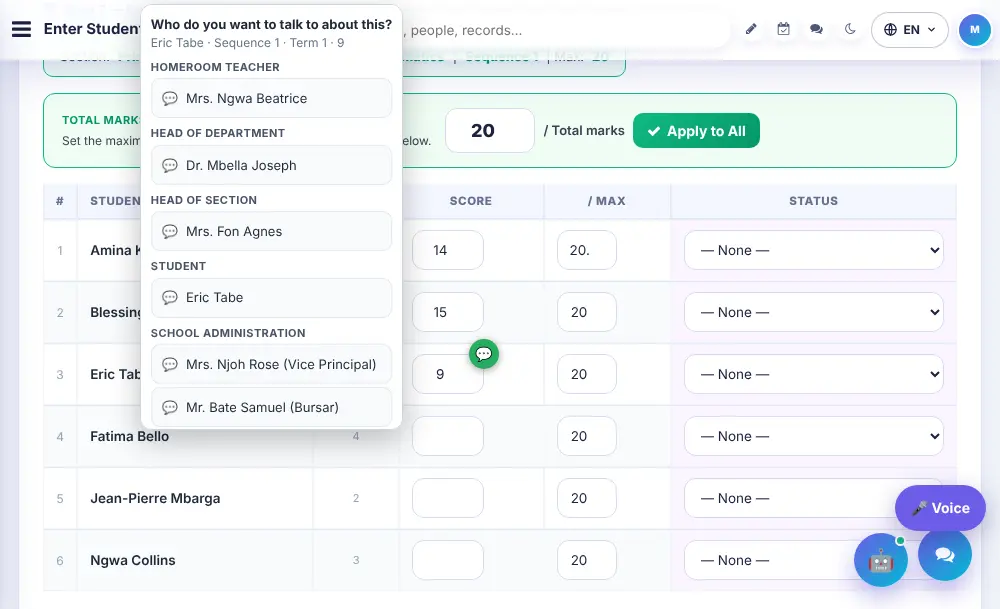
Tap a mark or attendance value to start a chat about it: the homeroom teacher, head of department, head of section, administration, parent, student, mentor or the AI assistant. The value travels with the message.
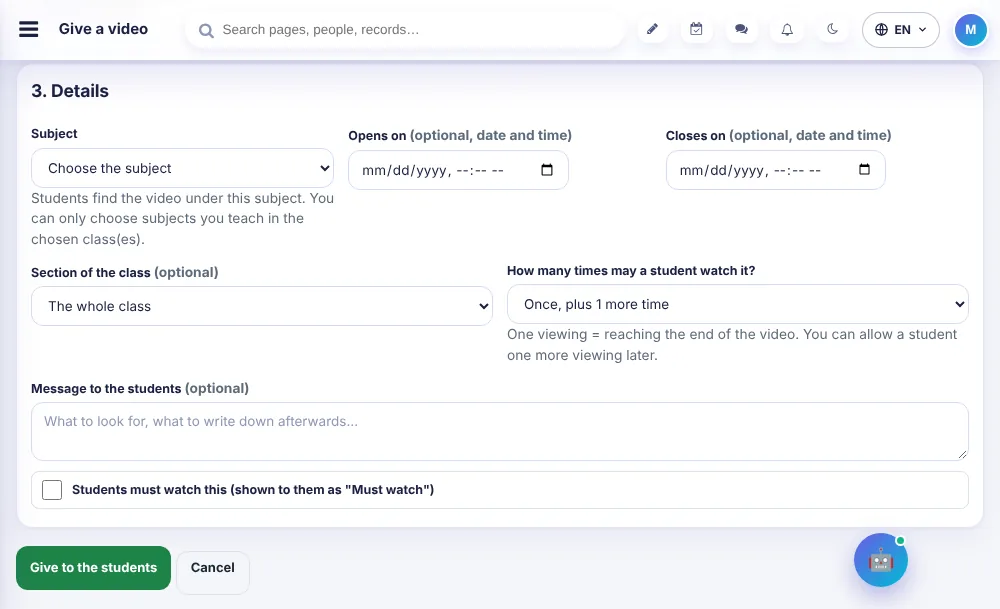
Give a YouTube, Vimeo, Drive or OneDrive video to a class, a section or chosen students. Set when it opens and closes and how many times it may be watched.
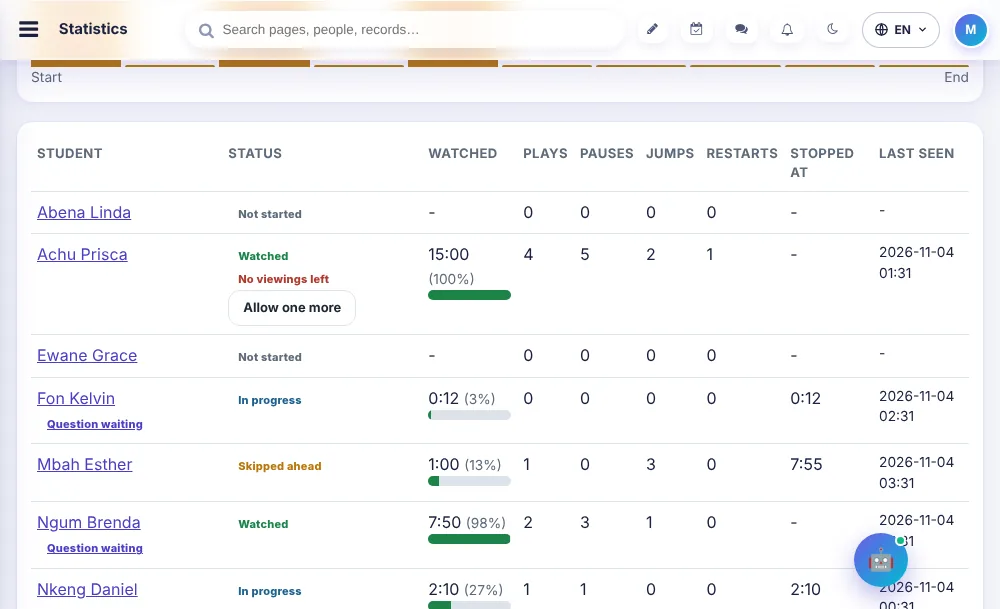
Time watched, pauses, jumps, restarts and the exact point where each student stopped. Skipping to the end is flagged, and the head of department and homeroom teacher see it too.
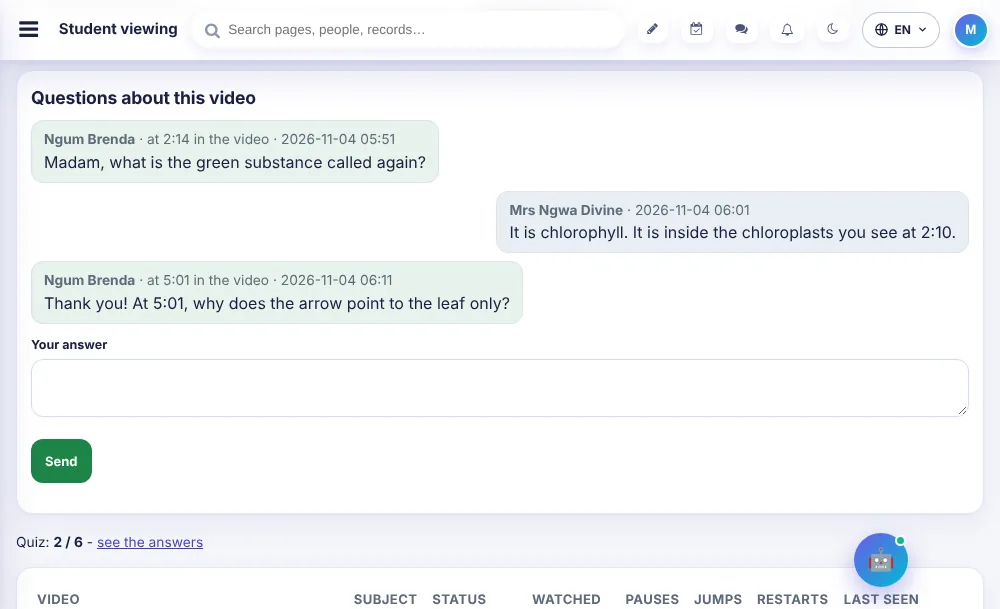
Students ask at the exact moment of the video and you answer in the same thread. Add a quiz that opens when they finish; the system marks the choice questions.
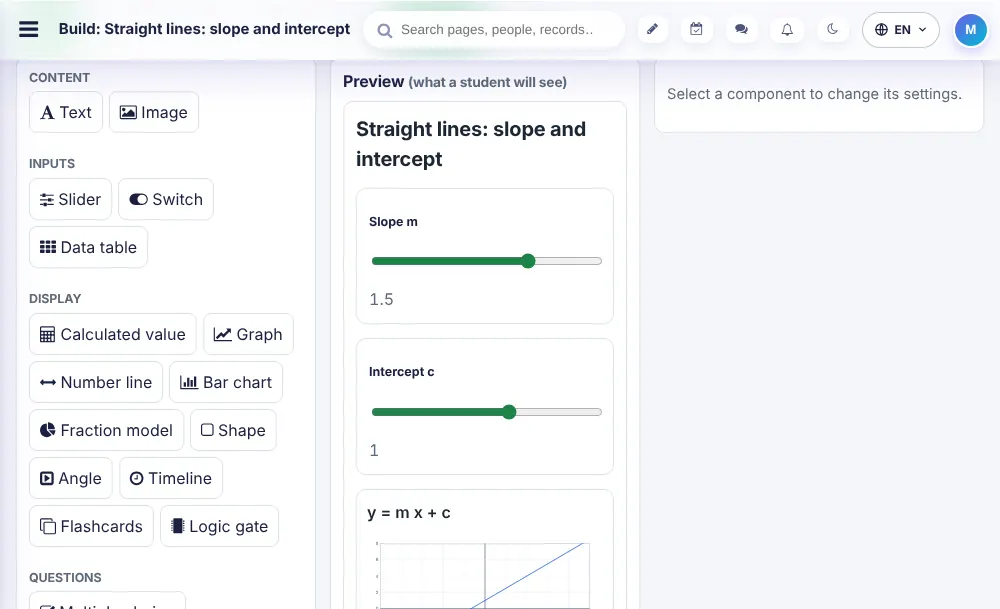
Add sliders, formulas, graphs and 26 kinds of questions, preview it as a student, and keep every saved version. No coding needed.
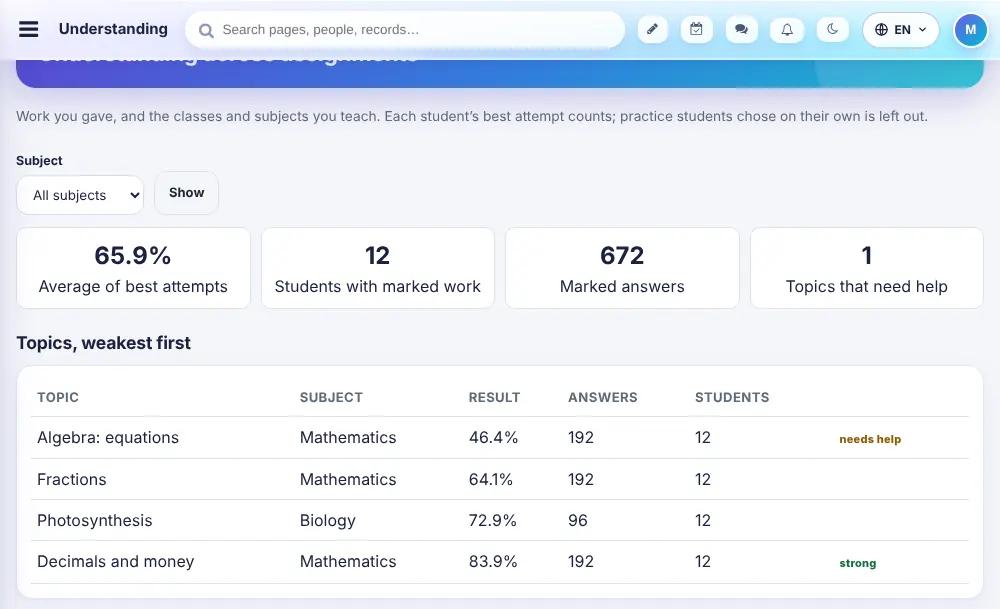
Results by question and curriculum topic across all your assignments, weakest first, and each student's progress over time.

Take attendance for your homeroom or subject classes in a few taps from a phone, or just say present, absent or late.
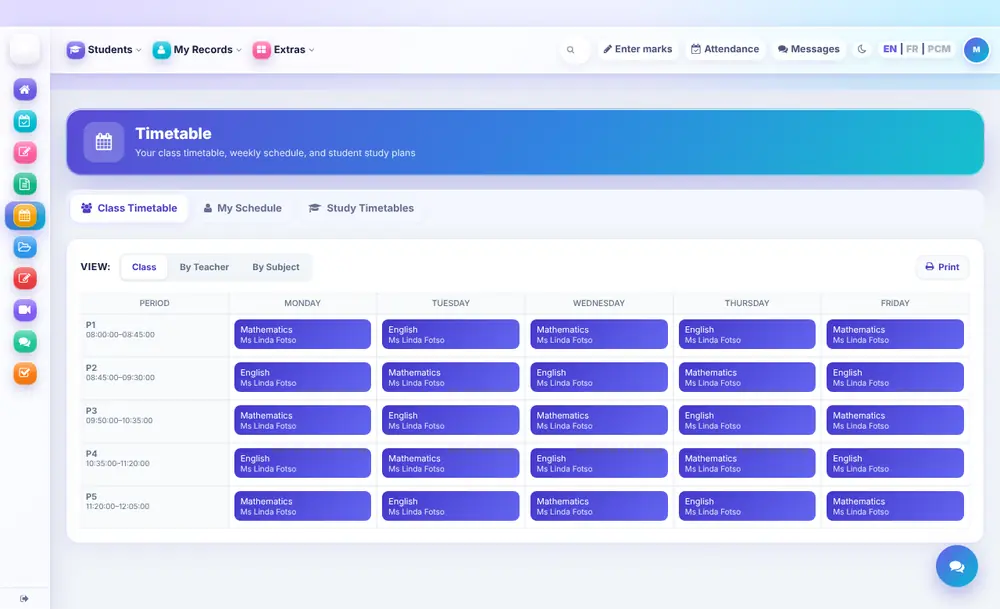
Your week at a glance: class, subject and room for every period.

Write lesson plans and follow their approval status from your own page.
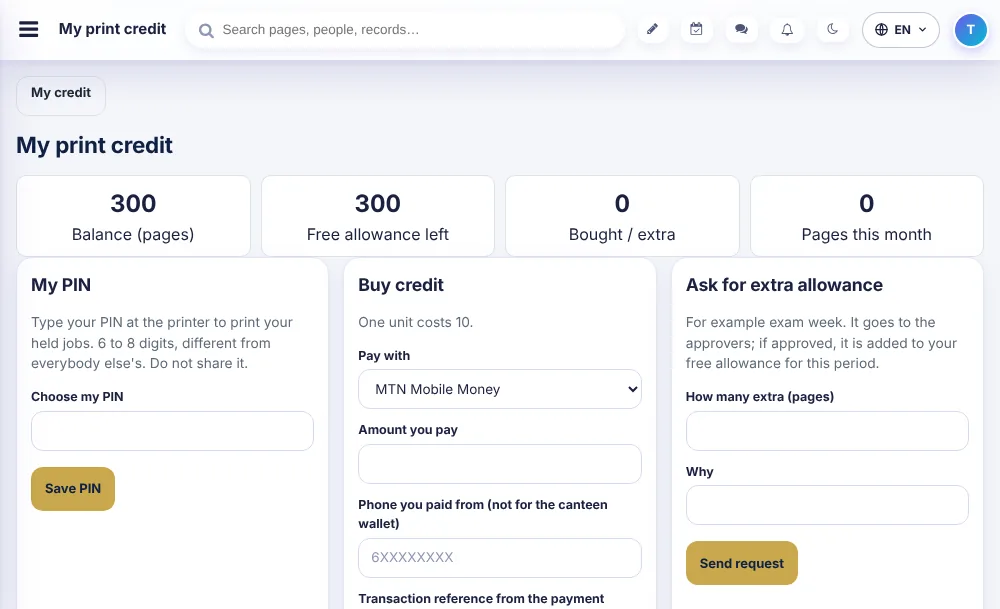
Send your documents to print as usual, then sign in with your PIN at any school printer to release them. Your free monthly allowance and what is left are always on one page.
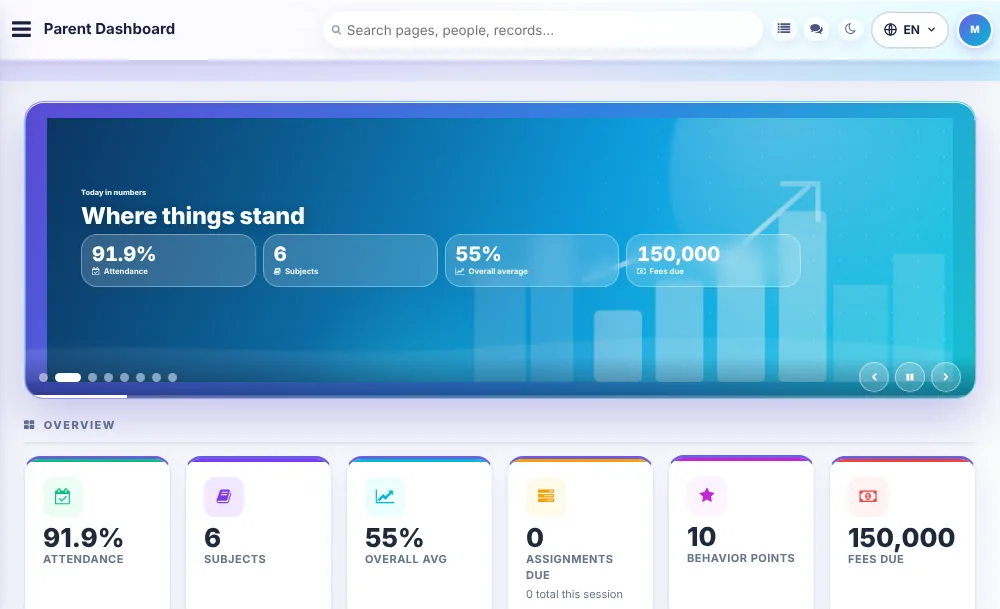
Attendance, subjects, average and fees due, the moment you sign in.
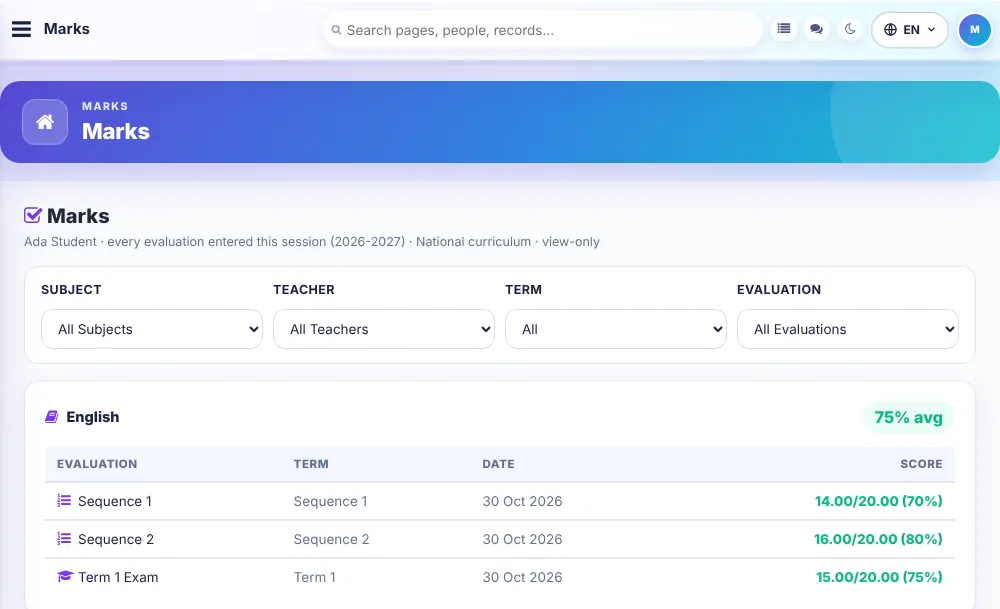
Every evaluation and score as the teachers enter it, so there are no surprises at report time.
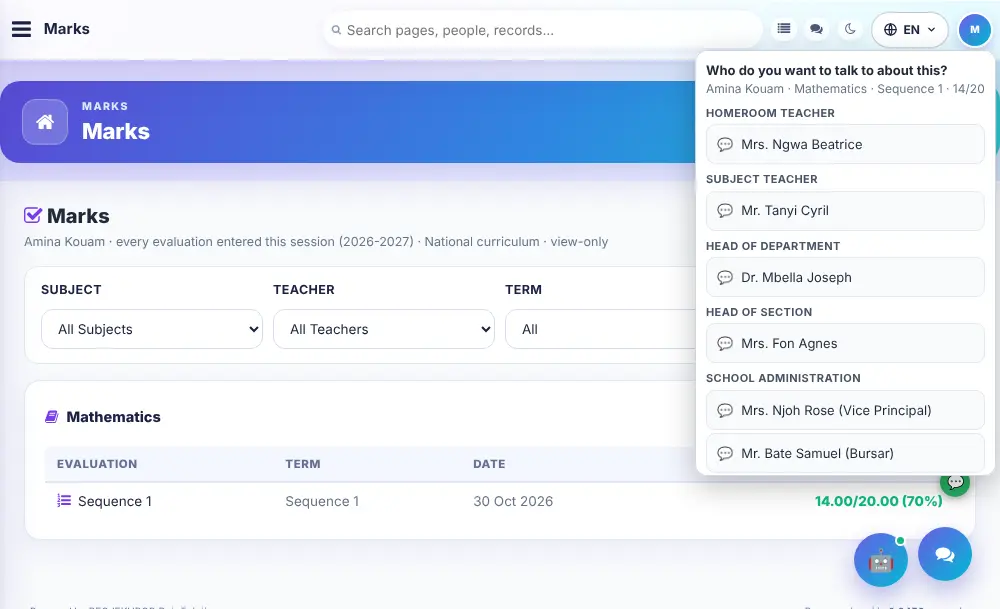
Tap a mark, an attendance day or a subject to ask the school about it. The chat opens with that exact value attached, so nobody has to explain which one.
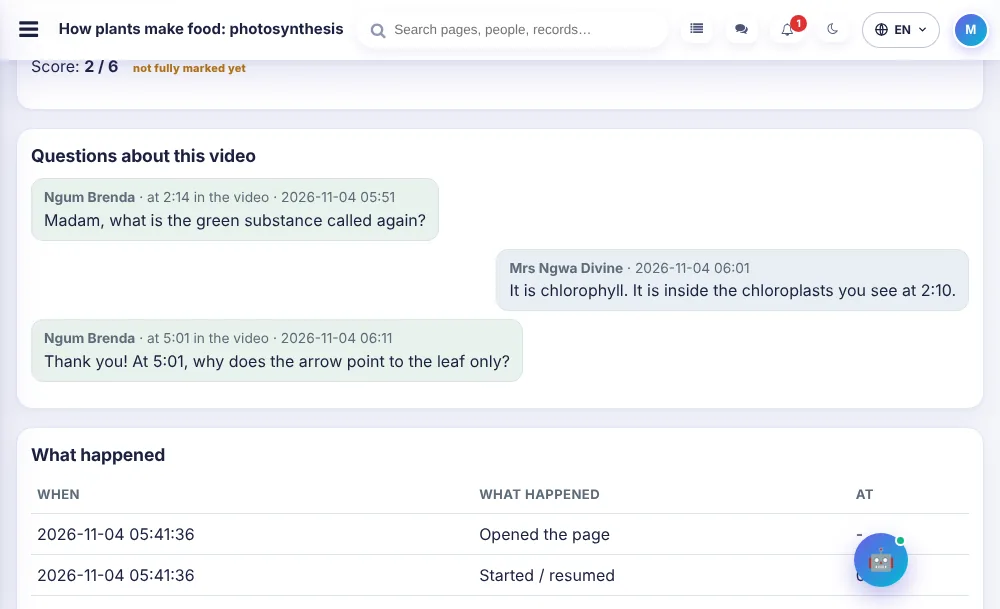
See each video your child was given, how long they watched, pauses, restarts, their quiz score and the teacher's answers to their questions.
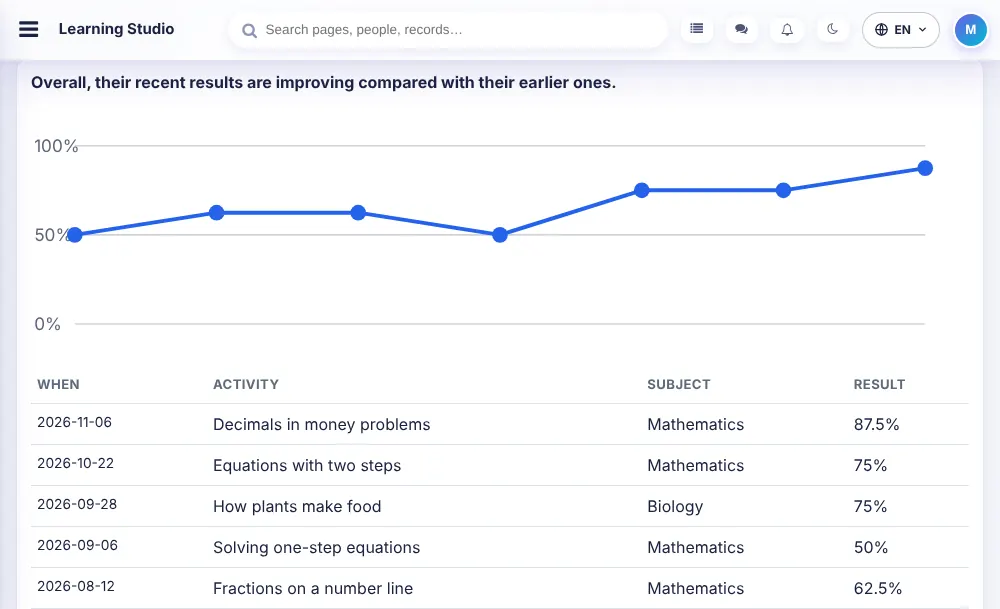
A line of your child's results, what is due this week and which topics are worth practising together. Never a ranking against other children.

A clear day-by-day record and overall rate for your child.

Outstanding invoices with amounts, balances and where to pay.
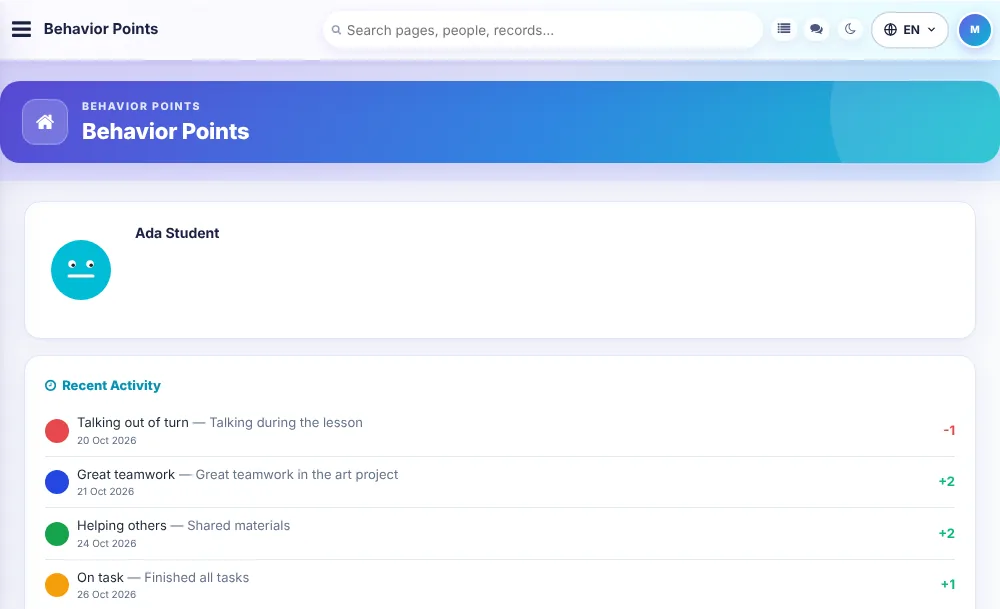
See the points your child earns, and the reason for each one.
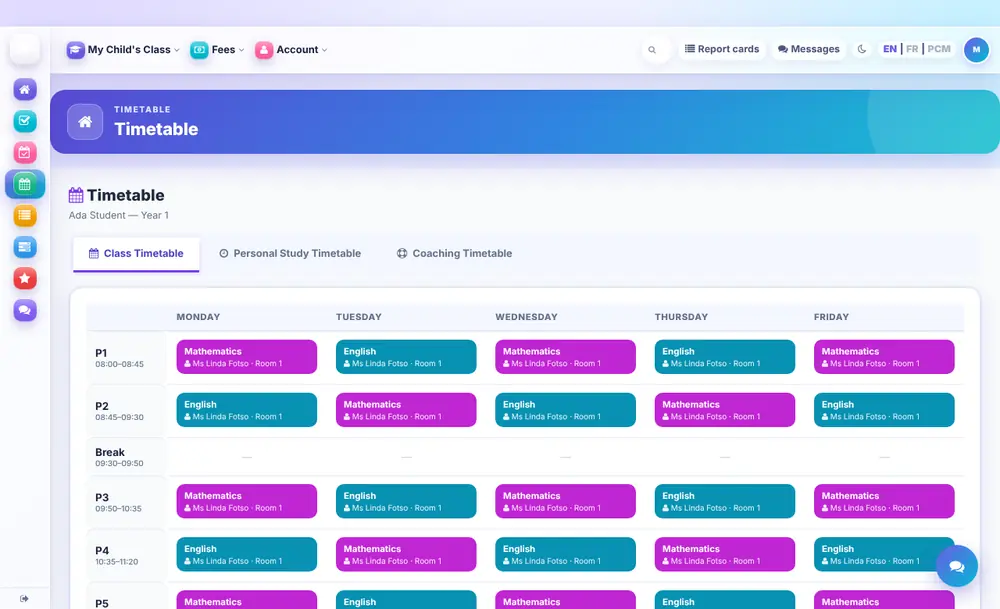
Your child's weekly timetable, so you know what to pack and when.
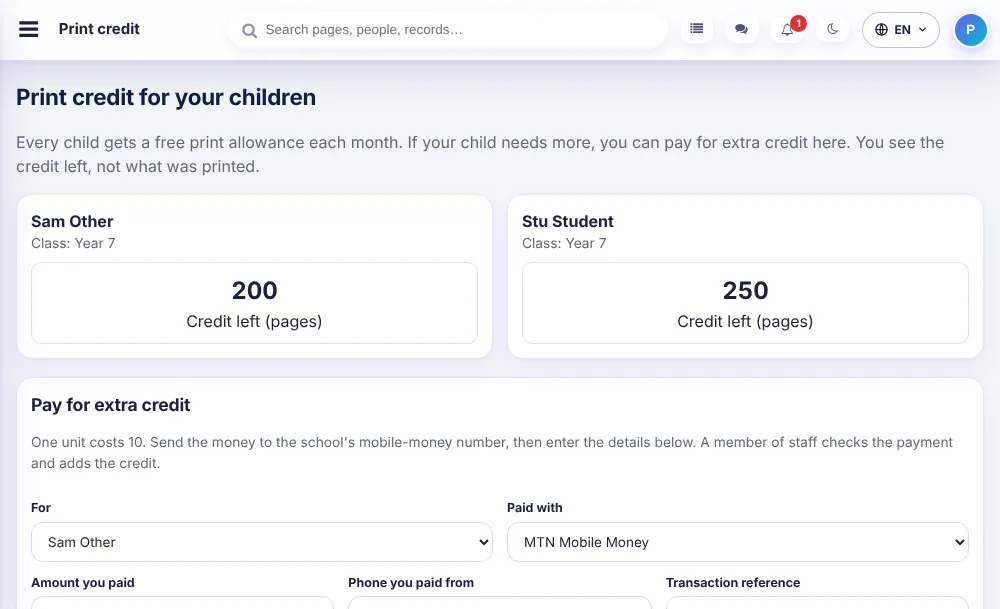
When the school allows it, see how much print credit each child has left and pay for extra by mobile money. You see the credit only, never what was printed.
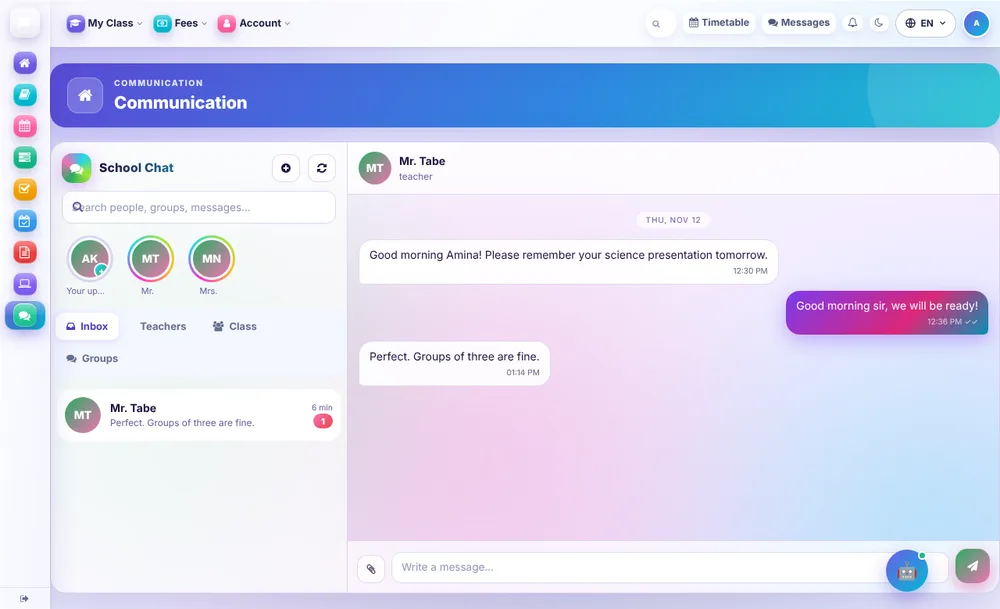
Chat with teachers and classmates in a fresh, fast messaging app, and share a text, photo or short video as a status update that the whole school sees for 24 hours. Big files shrink automatically and everything is deleted for good after it ends.
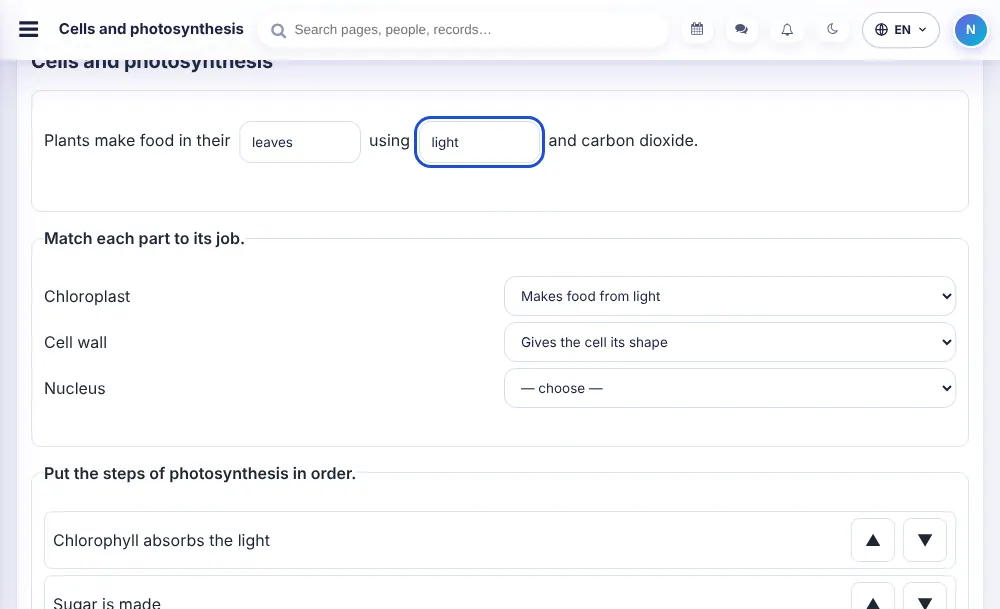
Fill in blanks, match, put in order, label a picture or move a slider. Your answers save as you go and your teacher marks the rest.
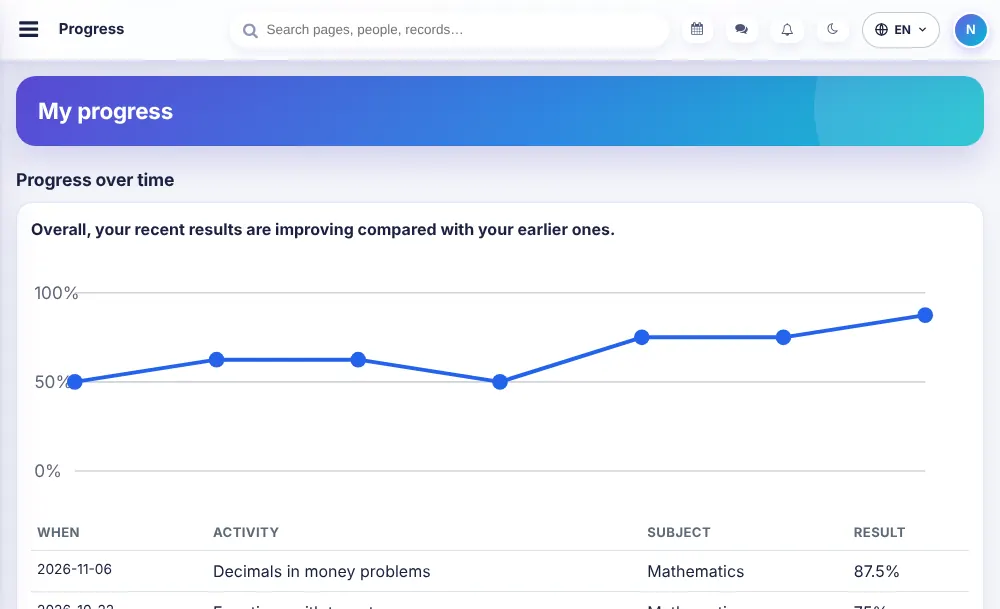
See your results over time, which topics are going well and which are worth practising, with links to find practice. Never compared with classmates.
Screens show a sample school with made-up names. Ask for a demo to try them yourself. See every feature on its own page → Try the demo →
A few of the screens your teachers, parents and office will use every day. The names and numbers are samples.
| Subject | Mark |
|---|---|
| Mathematics | 17 / 20 |
| English | 15 / 20 |
| Science | 16 / 20 |
| French | 14 / 20 |
| Average | 15.5 / 20 |
Green present, red absent. Parents get a message the same day.
Two lessons wanting the same room? ObadX flags it before the term starts.
Name, sections and how you grade. Cambridge, national or your own.
Your school gets its own private space, with its own data and its own logo.
yourschool.obadx.onlineImport students and staff, train your team, and begin the new term on one system.
Start small. Add modules and schools when you are ready.
Tell us a little about your school. We reply within one working day.
Fill in the form and we will contact you.